Javascript - Dynamics
Sticky Elements
Scroll Effects
@scroll
<bs:scroll>
HTML5 Validation
| Attribute | Description |
|---|---|
| @required | Mandatory |
| @pattern | Regular Expression |
| @maxLength | Max Length (blocking) |
| @minLength | Min Length |
| @min | Min Value |
| @max | Max Value |
| @step | Value Steps |
Datatype Validation
| Attribute | Description |
|---|---|
| integer | |
| decimal | |
| tel | |
| url | |
| date | |
| time | |
| datetime | |
| week | |
| day | |
| month | |
| year |
XML Schema SimpleType Validation
| Attribute | Description |
|---|---|
| xs:string | |
| xs:decimal | |
| xs:integer | |
| xs:date | |
| xs:time | |
| xs:datetime |
| Attribute | Description |
|---|---|
| xs:minExclusive | Any value greater than this |
| xs:maxExclusive | Any value less than this |
| xs:minInclusive | Any value greater or equal to this |
| xs:maxInclusive | Any value less or equal to this |
| xs:totalDigits | Max total digits including both integer and decimal parts |
| xs:fractionDigits | Max decimal fraction digits |
| xs:length | Fixed length |
| xs:minLength | Min length |
| xs:maxLength | Max length |
| xs:fixed | Must match this value |
| xs:minOccurs | Min instances |
| xs:maxOccurs | Max instances |
| Attribute | Description |
|---|---|
| xs:whiteSpace | Remove whitespaces [preserve | replace | collapse] |
| xs:default | Insert if value is empty |
Cross Field Validation
Multiple field based validation
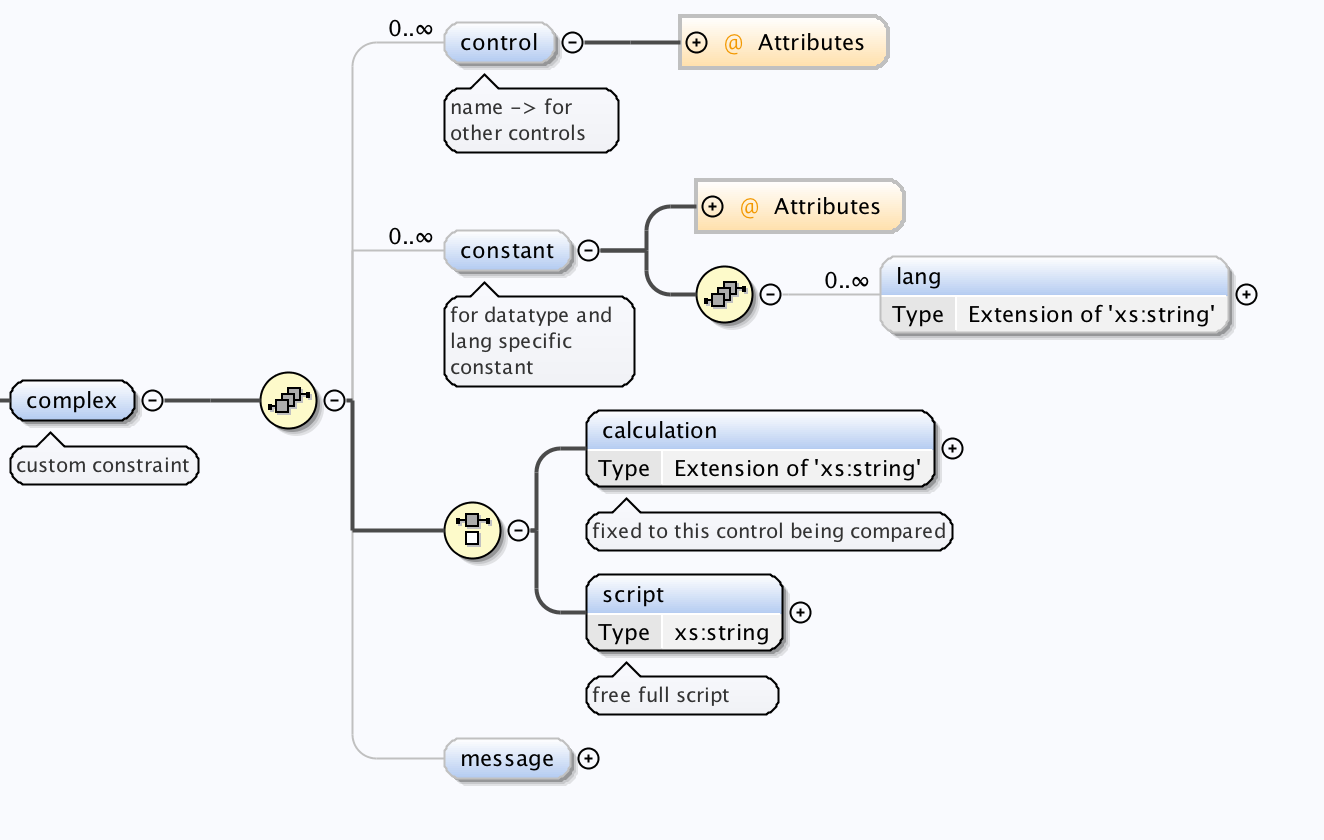
@toggle
@toggle defines the Javascript action (function). Becomes @data-{prefix}-toggle.
ID System
@id
| Prefix | XML | HTML | Description |
|---|---|---|---|
| no prefix | {ID} | {prefix}{ID} | Adding prefix |
| + | +{ID} | {ID} | preserve |
@name
Is only used on input controls.
No prefixing
@itemname
Becomes @data-itemname in HTML
@target, @selector, @scope
@target is used for pointing to the result item of action defined in @toggle (@data-toggle or @data-bs-toggle etc.).
input@target is pointing at another input by @name (if without a prefix).
@selector is used for pointing for the activating item.
@scope is used for setting the scope of the id in @target or @selector.
<bs:scope> is tag based scoping defining the scope without setting a @scope attribute.
| Prefix | XML | HTML | Description |
|---|---|---|---|
| {no prefix} | html tag name (or input@name) | html tag name (or input@name) | css class |
| . | .{class} | .{class} | css class |
| # | {ID} | #{prefix}{ID} | Referring to the @id (ID) |
| + | +{ID} | {ID} | Preserving ID |
| :: | ::{tagname} | {ID} | translate tag to ID |
| @ | @itemname={name} | @data-itemname={name}, @data-target=@{name} | Adressing by itemname |
| % | %{itemname} targetting @itemname | @id={localID}, @data-target=#{localID} | Translating @itemname into @id="{localID}" |
Becomes @data-target, @data-scope, @data-selector
@tabname & @tabref
Used for targetting tabs and dialogs
The target tab item is having a @tabname={tabname}, and the referring tab item (without tab pane) is having a @tabref={tabname} adding @data-bs-target=#{ID}
Works same as @itemname and @target="%{itemname}"
@parent
@parent is used for scoping the action. @parent becomes @data-parent (or @data-bs-parent)
ID segments
| Segment | Content | Example | Description |
|---|---|---|---|
| Prefix | {prefix} | D25 | Prefixing |
| ID | {ID} | D251234 | The basic ID |
| Input-group segment | _{counter} | D251234_3 | Used for numbering the segments of the input-group |
| Proxy | _X | D251234_X | Used for the proxy of the input or input-group |
| Row | X{row} | D251234X4 | Row in table |
| Multiple | T{instance} | D251234T4 | Is used for numbering elements of a multiple control |
| Master | _M | D251234_M | Is used for master part of master-details navigation |
| Details | _D | D251234_D | Is used for details part of master-details navigation |
| Container | _O | D251234_O | Is used for outer element in bs:input etc. |
@template="{name}" & <bs:template name="{name}">
@template="{name}" is used to refer to html <template name="{name}"> (for js)
Custom Javascript
Use can easily add conditional custom Javascript.